Building a Small Tool Instead of Searching for One
Building a small Pomodoro timer without subscriptions, notifications or unnecessary complexity
I needed a simple Pomodoro timer that I could use both at home and at work.
The requirement was not complicated: choose a duration, start the timer, and hear a subtle sound when it finishes. I did not want to install an app with a paid tier, and I did not want to accept cookies or give a website permission to send me notifications just to use a timer.
I couldn’t find quite what I was looking for, so I decided to build it myself. I also just felt like making something!
I wanted to see how quickly I could get a working solution up and running. It took about 15 minutes to build the first iteration using AI-assisted coding, including setting up the subdomain and deployment pipeline. It took me longer to write this post than it did to build and deploy the initial timer.
The result is deliberately small. It has a timer, a selection of durations from 5 to 60 minutes, Start and Reset controls, and it plays a sound when the timer finishes. It can also display the remaining time digitally or as an analogue dial.
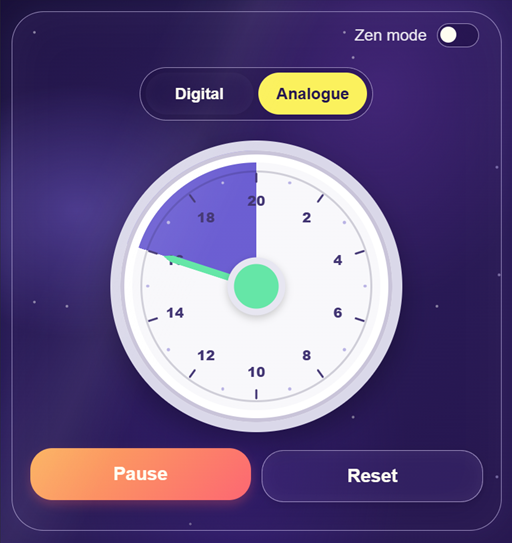
I tested the timing by starting a five-minute timer on the website at the same time as a five-minute timer on a basic Casio watch. They beeped at the same time, and I was satisfied. It is a simple test, but it was enough to verify the behaviour that mattered.
The interesting part was not that I could build a timer. It was that the cost of building a small, specific solution was so low that it was no longer worth searching for an existing one.
AI-assisted coding made the implementation quick and straightforward. Keeping it simple meant resisting the temptation to add features like task lists. I built what I needed, deployed it, and was able to start using it right away.

Scott Edwards
Engineering Leader
Engineering leader aligning teams around clear outcomes and scalable delivery